
Lenovo IdeaPad 3 Laptop Hinge Repair Case Study in Subang Jaya
This laptop hinge repair addressed a Lenovo IdeaPad 3 with fractured plastic around both hinge mounts. We rebuilt and reinforced the mounting points with bonding and brass-insert reinforcement. The hinge now holds any angle firmly.
Estimate price
From RM260
Confirmed after inspection
Turnaround
1 to 2 days
Walk-in or courier-in
Warranty
1 year
Parts warranty on hinge
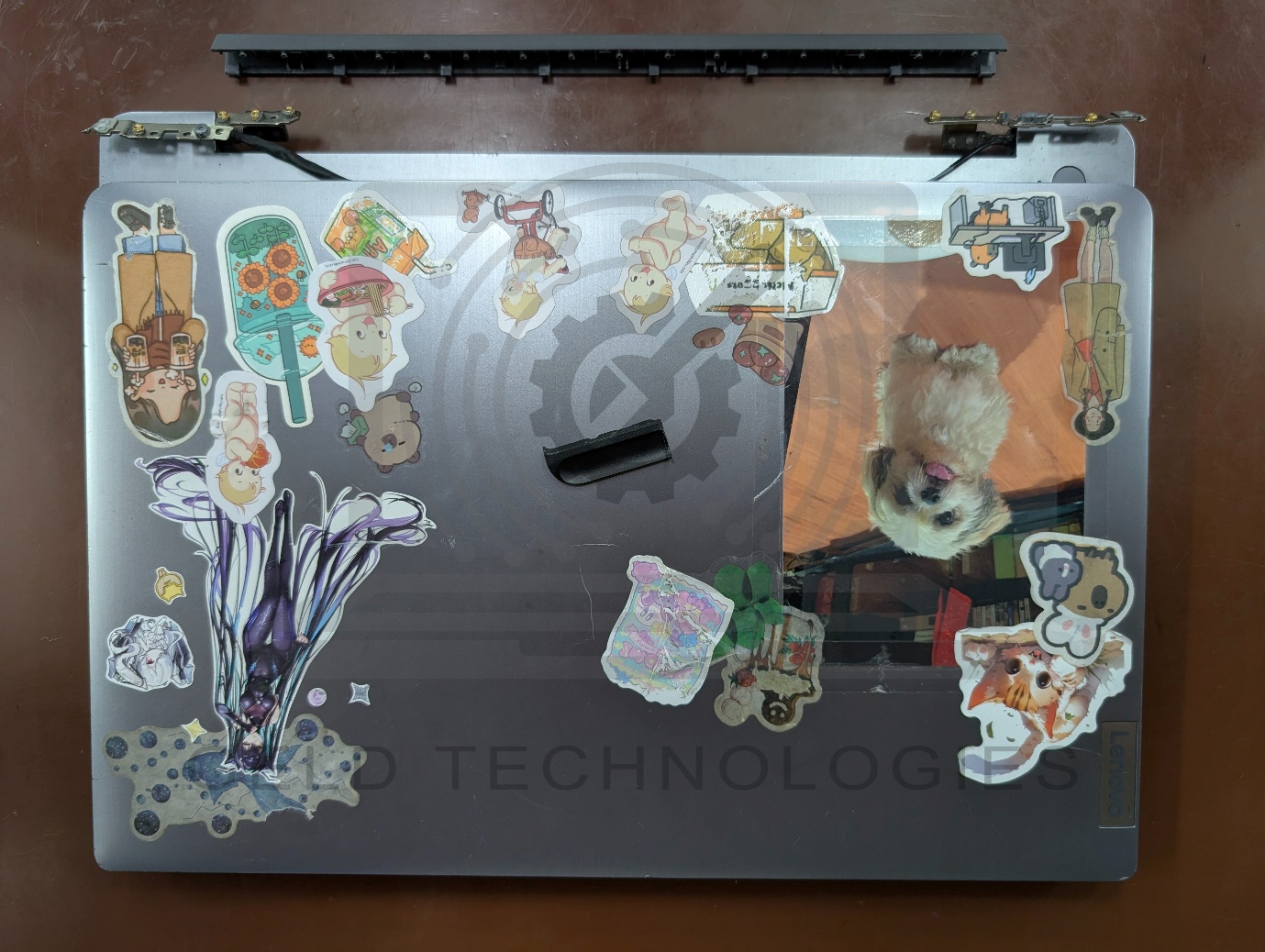
This Lenovo IdeaPad 3 came to Geld Technologies with damaged hinge mounting points on both sides, affecting both the screen housing and the palmrest assembly.
Before: Broken hinge mounts on both sides
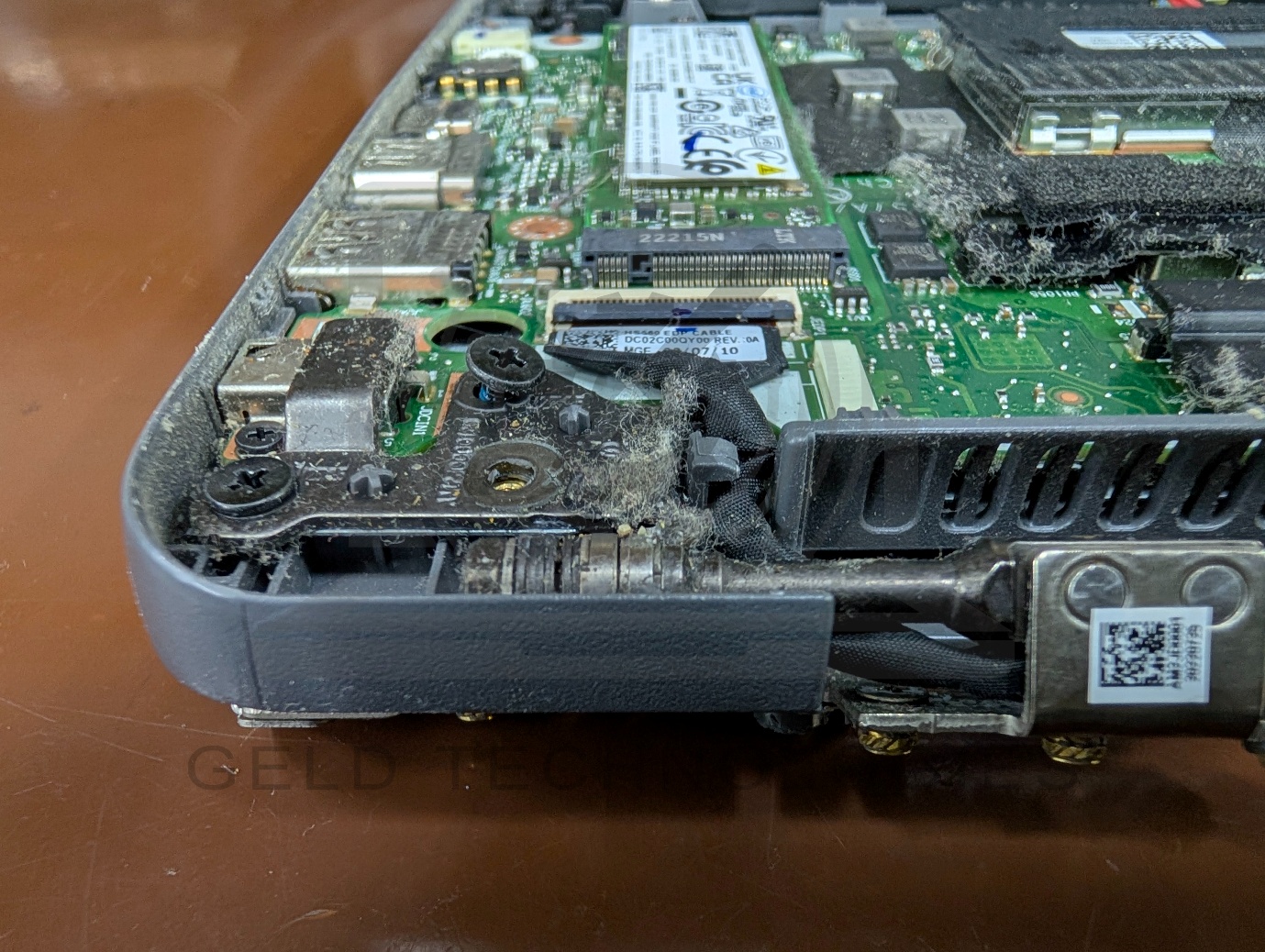
Dismantling revealed fractured plastic around the brass threaded inserts that secure the hinges. With these mounting points broken, the hinges could no longer remain securely attached to the housing.
Our assessment pointed to brittle, ageing plastic combined with excessive hinge resistance. This placed additional strain on the mounting points whenever the laptop was opened or closed.
Why laptop hinge mounting points fail on ageing plastic housings
Hinge failure on consumer laptops almost never starts at the hinge mechanism itself. It starts at the plastic surrounding the brass threaded inserts that hold the hinge in place. These failure points are predictable, which is why we can usually tell within one inspection whether a laptop needs a hinge rebuild or just a hinge replacement.
Three factors cause the plastic around the mounting points to fail over time. Thermal cycling, as the laptop heats and cools, stresses the plastic around the brass inserts because brass expands and contracts at a different rate from the surrounding plastic. Over hundreds of cycles, this creates micro-cracks that eventually open up. Hinge resistance that is too high, which is common when a hinge has not been cleaned or re-lubricated in years, multiplies the force on the mounting points every time the lid is opened. And repeated impact from a laptop being carried in a bag that is dropped onto hard surfaces can shock-crack the plastic even when the laptop looks undamaged from the outside.
Once the plastic cracks around the brass insert, the insert can rotate or pull out of its seat. The hinge is still physically intact but has nothing to anchor to. This is why glue is only ever a temporary fix. Glue bonds plastic to plastic. It does not restore the structural integrity of a cracked anchor point. Within weeks, the forces that caused the original failure will separate the glued joint again.
Our repair process
We separated the screen assembly from the laptop base and removed the motherboard to access the damaged areas.
After cleaning and preparing the broken mounting points, we rebuilt and reinforced the affected areas using bonding and brass-insert reinforcement techniques suited to the damage.
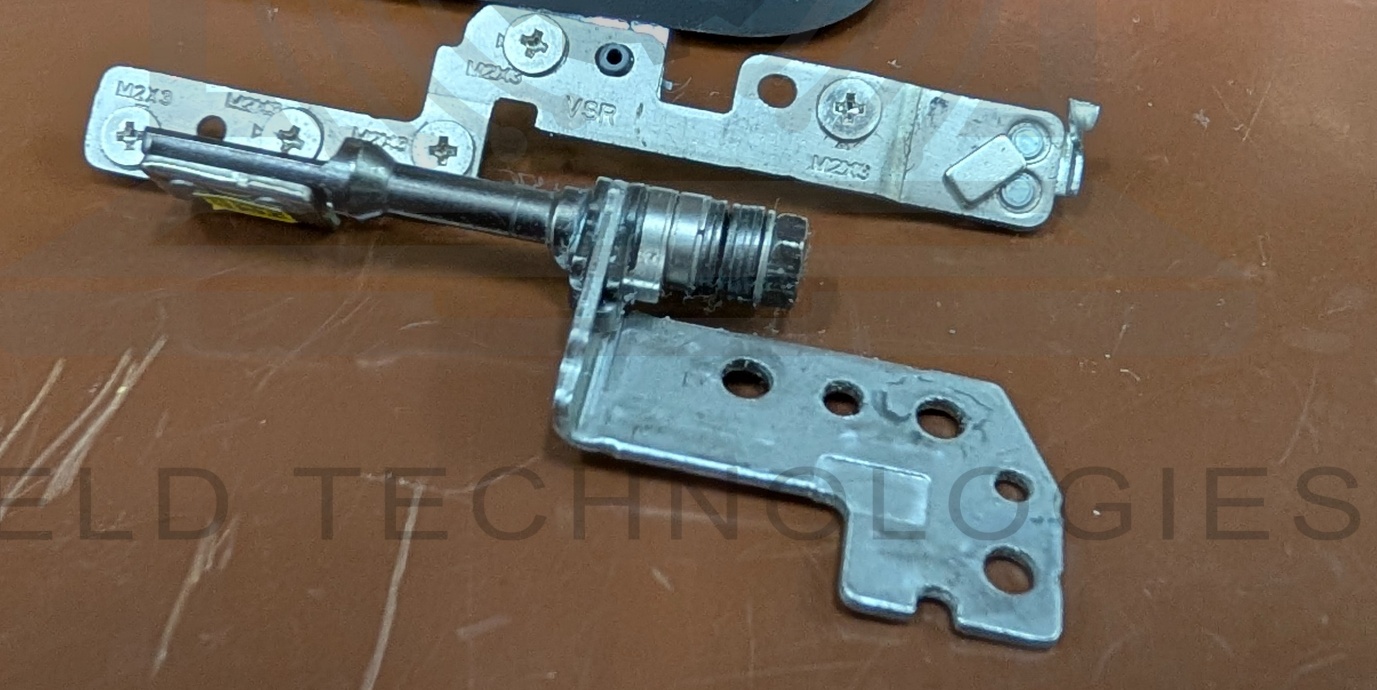
We also adjusted the hinge resistance to reduce strain on the repaired housing, aiming for easier opening while retaining enough support to hold the screen in position.
The laptop was then reassembled and given a general service, including internal cleaning and thermal paste replacement.
What brass-insert reinforcement actually involves
For readers who want to understand the repair in more detail, the brass-insert reinforcement technique works by replacing the compromised anchor system rather than just patching the damaged plastic. We clean out the fractured plastic to expose a stable base, position a new brass threaded insert, and bond it in place with a two-part structural epoxy rated for load-bearing joints. The repair is then given curing time before the hinge is remounted. Once cured, the repaired joint is often stronger than the original factory part because the structural epoxy forms a continuous bond with the surrounding housing rather than relying on friction fit alone.
This technique is only worthwhile when the surrounding housing is intact enough to support the repair. For housings with multiple fracture points or widespread plastic degradation, we recommend housing replacement instead. We assess which approach fits during the free diagnosis.
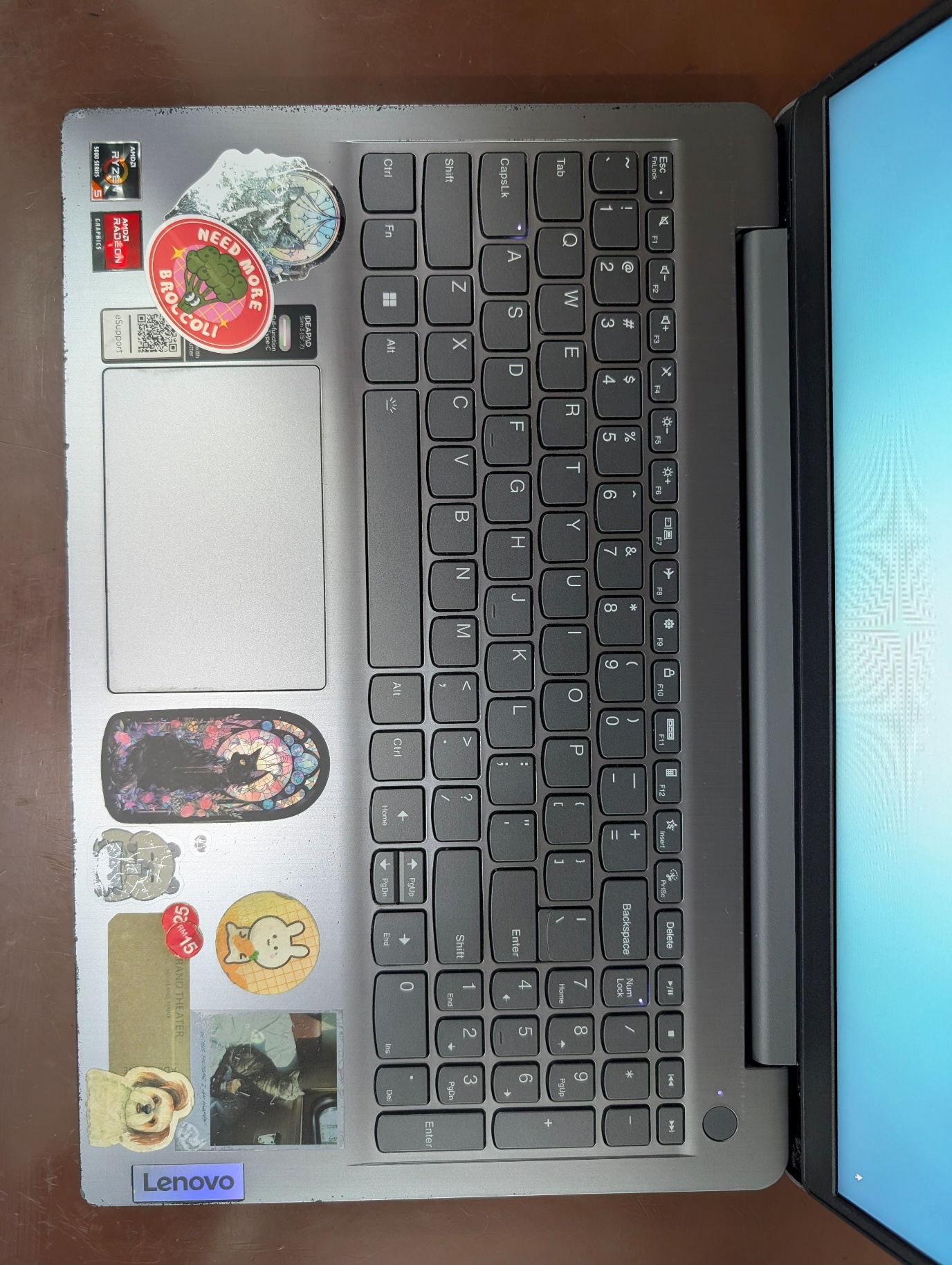
After: Reassembled and powered on
The after photos show the repaired mounting areas, refitted hinges and reassembled laptop with the display powered on.
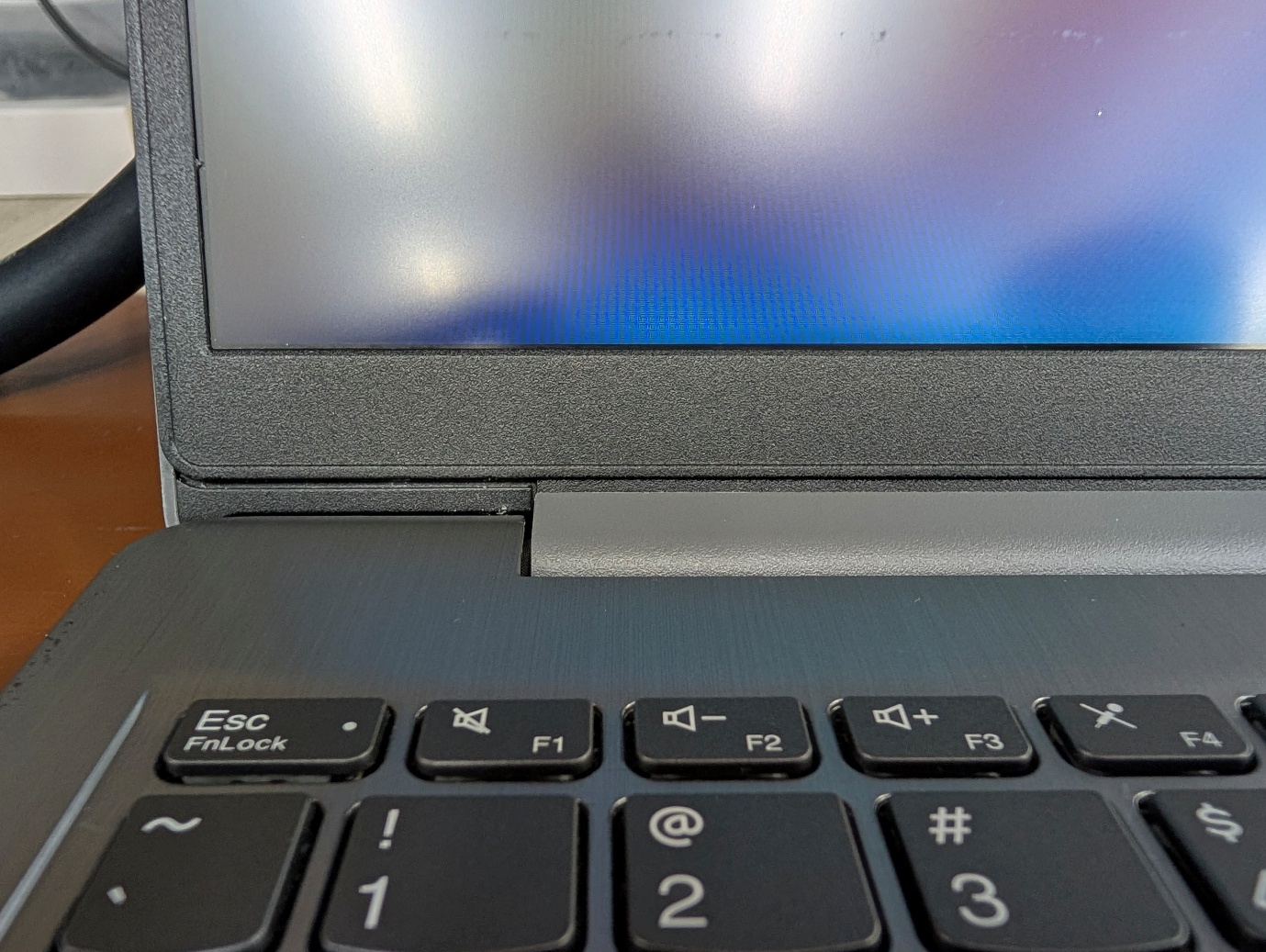
This repair addressed both the damaged mounting points and the excessive hinge resistance identified during inspection.
Repair outcome

Repair completed by
Gurubaran
Electronics Lead · 6+ years · 8,600+ devices repaired
Specialising in laptop internals and complex hardware repair. Meet our full team →
How to reduce the risk of hinge damage
- Watch for early warning signs. Stiff opening, flexing plastic or a separating screen bezel should be inspected before the mounting points break.
- Open from the centre. Lift the lid slowly from the middle of its top edge rather than pulling from one corner.
- Handle your laptop bag gently. Avoid dropping a backpack containing your laptop onto the floor. Impacts can damage the plastic supporting the hinge mounts.
- Do not force a stiff or separating lid. Have it assessed before continuing to open and close it.
Customer reviews mentioning hinge repair
Verified from our Google Business Profile · Read All Google Reviews →
Angelina Fernandez
★★★★★
"Very good service by Malik. My laptop Dell vostro looks almost new after changing the hinge, bracket and also the casing. Thank you so much for the honest service and salvaging my laptop. Highly recommended."
yati mali
★★★★★
"My Envy laptop has a broken hinge and because it is a touch screen two other companies say the screen might crack during repair and I have to take this risk. I refused to take that risk and found this company that is obviously..."
Kim Meng Lim
★★★★★
"Terance Jr was helpful and helped fix my damaged hinge and screen on my notebook. Service was quick and the repairs were handled promptly. Wouldn't hesitate to recommend anyone looking to repair their devices to Geld Technologies."
Loose, stiff or broken laptop hinge?
Send us photos of the affected area and your laptop model. We'll diagnose the problem, confirm the price before we start, and most hinge repairs are ready in 1 to 2 days.
No Fix / No Charge · We confirm pricing before we start · 1-year parts warranty on hinge repairs